
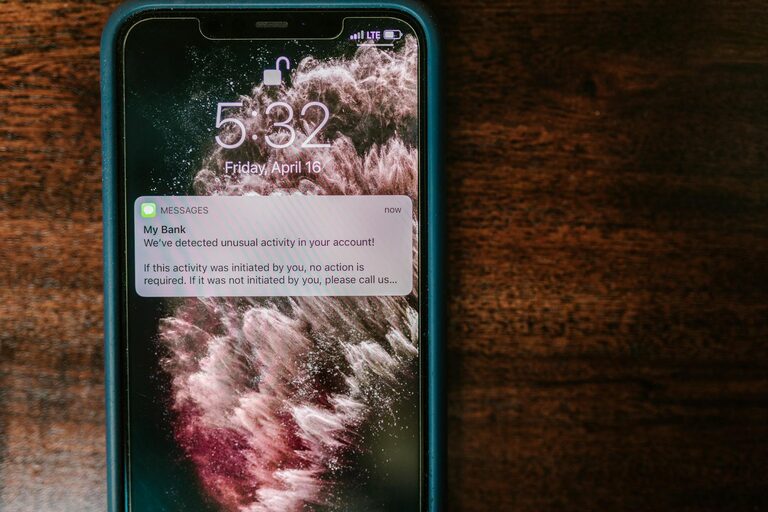
In today’s digital world, notifications have become a constant presence on our devices. While they can be helpful for staying informed, unchecked notifications can easily disrupt your focus, increase stress, and reduce productivity. Setting clear boundaries with notifications is essential for maintaining a healthy balance between staying connected and protecting your time.
In this post, we’ll explore practical tips for managing your notifications to help you work more efficiently, reduce distractions, and improve your overall well-being.
Why Setting Boundaries with Notifications Matters
Notifications are designed to capture your attention quickly. Whether it’s a message, an app update, or a calendar reminder, these alerts can interrupt whatever you’re doing and shift your focus. Over time, constant interruptions can:
– Increase stress and overwhelm
– Decrease your ability to concentrate
– Lead to procrastination or fragmented work sessions
– Negatively impact sleep if nighttime alerts go unchecked
By setting boundaries, you take control of when and how notifications reach you, allowing you to focus on what matters most.
Step 1: Understand Your Notification Habits
Before setting boundaries, it’s helpful to understand how notifications currently affect you. Spend a day or two paying attention to:
– How often you receive notifications
– Which apps or services send the most alerts
– How frequently you respond immediately versus ignoring or delaying
– Whether notifications disrupt your workflow or downtime
This awareness will guide you in prioritizing which notifications to keep, silence, or customize.
Step 2: Customize Notification Settings on Your Devices
Most smartphones, tablets, and computers allow you to customize notifications in detail. Here’s how to make the most of these settings:
Prioritize Important Notifications
– Keep alerts from essential apps such as messaging, calendar, or work-related platforms active.
– Disable or limit notifications from apps you don’t use frequently or that don’t require immediate attention, such as games or marketing-heavy apps.
Use “Do Not Disturb” or Focus Modes
– Enable Do Not Disturb during deep work, meetings, or rest to prevent notifications from causing interruptions.
– Some devices offer Focus modes that allow notifications only from selected contacts or apps during specific times.
Turn Off Notification Previews
– Hiding message content on your lock screen can reduce distraction and protect your privacy. Notifications will still alert you but without detailed information.
Group Notifications
– Group multiple alerts together so they show up as a single notification rather than multiple interruptions.
Step 3: Set Specific Times to Check Notifications
Instead of reacting immediately when a notification appears, try scheduling dedicated times to review messages, emails, and other alerts:
– Allocate a few specific blocks during your day for checking notifications.
– Outside of those times, keep notifications on silent or off to stay focused.
– This practice helps reduce the “always-on” feeling and promotes deeper concentration.
Step 4: Use Technology to Your Advantage
Several tools and apps can help you manage notifications more effectively:
– Notification management apps: Some apps consolidate notifications and let you view them later, reducing on-the-spot interruptions.
– Email filters and rules: Automatically sort or prioritize incoming emails, so you only get notified for important messages.
– Smartwatch settings: Customize alerts to your wrist device to receive less intrusive notifications.
Step 5: Communicate Your Boundaries
Setting boundaries is easier when others are aware of your preferences:
– Let colleagues, friends, or family know when you prefer not to be disturbed or when you will respond to messages.
– Use status features in messaging apps to indicate your availability.
– Set expectations for response times, so people understand you’re not ignoring them but managing your focus.
Step 6: Review and Adjust Periodically
Your needs and priorities may change over time, so it’s a good idea to revisit your notification settings every few weeks or months:
– Assess which alerts still provide value.
– Remove unnecessary notifications that may have become less relevant.
– Experiment with new features or tools that help reduce distractions.
Bonus Tips: Additional Ways to Manage Digital Distractions
– Physical breaks: Step away from your devices regularly to rest your eyes and mind.
– Silent hours: Create device-free zones or times, such as during meals or before bedtime.
– Minimalist app setup: Limit the number of apps installed to reduce the source of notifications.
—
By taking control of your notification settings and setting mindful boundaries, you can reduce stress, improve concentration, and create a healthier relationship with technology. Start small by adjusting a few key apps today and find a routine that works best for your lifestyle. Remember, technology should support your goals — not distract you from them.